UPS Battery Backups
Best UPS Battery Backup
We research every product against its spec sheet, manuals and owner reports. When you buy through our links we may earn a commission, at no cost to you. How we score · Disclosure
The best UPS battery backup for most people in 2026 is the CyberPower CP1500PFCLCD UPS Battery Backup. The default pick for any desktop computer with a modern power supply.
A UPS is not there to run your computer through an outage. It is there to keep it from crashing, keep the internet up for a few minutes or hours, and give you time to save and shut down. Six units matched to the job.
Most people buy a UPS by the biggest VA number they can afford and never check whether its waveform suits their computer. That one detail decides whether the UPS actually protects a modern PC or quietly fails the first time the lights flicker.
Our top picks at a glance


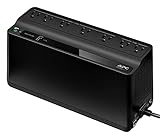

Quick answer
the CyberPower CP1500PFCLCD UPS Battery Backup is our #1 pick (best overall ups). The default pick for any desktop computer with a modern power supply.
On this page
- 1. The best UPS battery backups right now
- 2. UPS Battery Backup Side by Side
- 3. What a UPS Battery Backup Actually Does
- 4. The Six UPS Units Compared
- 5. VA vs Watts: The Number That Matters
- 6. Pure Sine vs Simulated Sine (and Active PFC)
- 7. Standby, Line-Interactive and Online UPS
- 8. Runtime: How Long a UPS Actually Lasts
- 9. UPS for Routers and Modems
- 10. Power Stations, Generators and UPS Mode
- 11. Which UPS to Buy
- 12. Common Mistakes to Avoid
- 13. Frequently Asked Questions
1. The best UPS battery backups right now

1. CyberPower CP1500PFCLCD UPS Battery Backup
See current price · Best for: Overall UPS
- Features
- 1500VA / 1000W, Pure Sine, Line-Interactive
The CP1500PFCLCD has been the go-to UPS for desktop computers for years, and its specifications explain why. CyberPower rates it at 1500VA and 1000W, a higher watt figure than most 1500VA competitors, with a pure sine wave on battery, so it suits the active PFC power supplies in modern gaming PCs and workstations. It is line-interactive with automatic voltage regulation, which corrects brownouts and overvoltage without draining the battery. There are 12 outlets, six on battery and surge and six on surge only, plus a USB data port and CyberPower's PowerPanel software for automatic shutdown. The front LCD shows load, battery capacity and estimated runtime, which makes it easy to check you are within a sensible load. Like every tower UPS, its battery is sealed lead-acid and will need replacing every few years, and runtime at heavy load is measured in minutes.
Pros
- 1000W rating is the highest of the 1500VA picks
- Pure sine wave output suits active PFC power supplies
- AVR corrects sags and surges without using the battery
- 12 outlets, 6 battery-backed
- LCD shows load, battery and runtime estimate
Cons
- Lead-acid battery needs replacing every few years
- Runtime is minutes, not hours, under heavy load
- Heavier than smaller units

2. APC Back-UPS Pro BR1500MS2 UPS Battery Backup
See current price · Best for: Home Offices
- Features
- 1500VA / 900W, Sine Wave, USB Charging
APC's BR1500MS2 is the brand's answer to the CyberPower CP1500PFCLCD, and for a home office it has one useful extra. APC rates it at 1500VA and 900W with sine wave output on battery, which suits computers with active PFC power supplies, and it is line-interactive with automatic voltage regulation. It has 10 outlets, five on battery and surge and five on surge only, and it adds USB-A and USB-C charging ports, so phones and small devices can charge from the battery during an outage without an adapter. An LCD displays load, battery status and estimated runtime, and a USB data port works with APC's PowerChute software for automatic shutdown. The 900W rating is a little below the CyberPower, so it is the better choice for typical home office loads than for the heaviest gaming rigs. As with all tower units, the battery is lead-acid and replaceable.
Pros
- Sine wave output on battery
- Built-in USB-A and USB-C charging ports
- 10 outlets, 5 battery-backed
- AVR handles brownouts
- LCD with load and runtime display
Cons
- 900W, slightly below the CyberPower
- Usually priced above the CyberPower
- Lead-acid battery

3. CyberPower CP850PFCLCD UPS Battery Backup
See current price · Best for: Compact Pure Sine
- Features
- 850VA / 510W, Pure Sine, Compact
Not every computer needs a 1500VA UPS. The CP850PFCLCD gives the same pure sine wave output as CyberPower's larger model in a smaller box, rated at 850VA and 510W. That is plenty for a typical office desktop, one or two monitors and a modem and router, which together often draw 150-300 watts. It is line-interactive with automatic voltage regulation, has 10 outlets split between battery-backed and surge-only, and includes an LCD panel and a USB port for CyberPower's shutdown software. The smaller size makes it easier to fit under a desk or in a cabinet, and it usually costs noticeably less than the 1500VA version. The limit is wattage: a gaming PC under load can exceed 510W, and runtime is shorter than the big units, so measure your draw before choosing it over the CP1500PFCLCD.
Pros
- Pure sine wave in a smaller, cheaper unit
- AVR line-interactive design
- 10 outlets, half battery-backed
- Fits under desks more easily
- Same software as the bigger CyberPower
Cons
- 510W is too little for a gaming PC under load
- Shorter runtime than 1500VA units
- Lead-acid battery
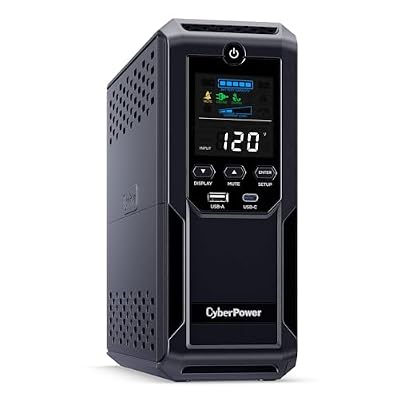
4. CyberPower CP1500AVRLCD3 UPS Battery Backup
See current price · Best for: Value 1500VA
- Features
- 1500VA / 900W, Simulated Sine, Line-Interactive
The CP1500AVRLCD3 looks almost identical to CyberPower's pure sine model on paper, with 1500VA, 900W, automatic voltage regulation and 12 outlets, six battery-backed. The difference is the waveform: on battery it produces a simulated sine wave, and that is why it costs less. For routers, modems, network switches, TVs, monitors, game consoles and many older computers, simulated sine is fine, and this unit gives a lot of runtime for a low-power load at a good price. Where it falls short is the active PFC power supplies in most modern gaming PCs and workstations, some of which shut off or misbehave on a stepped waveform. If the computer is the main thing you are protecting and it has a recent power supply, spend a little more on the CP1500PFCLCD. If the job is mainly network gear and home theater, this is the better value.
Pros
- Lots of watts for the money
- AVR line-interactive design
- 12 outlets, 6 battery-backed
- Good runtime for network gear and TVs
- LCD status display
Cons
- Simulated sine wave; not for active PFC power supplies
- Not the right UPS for a modern gaming PC
- Lead-acid battery
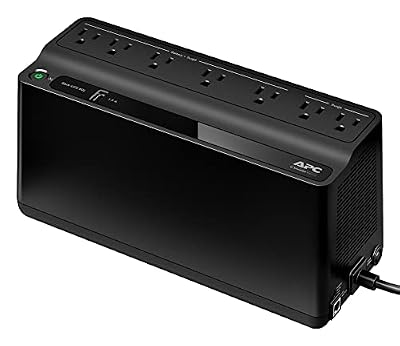
5. APC Back-UPS BE600M1 UPS Battery Backup
See current price · Best for: Routers and Modems
- Features
- 600VA / 330W, Standby, USB Charging
The BE600M1 is the UPS to buy for internet equipment. APC rates it at 600VA and 330W, which sounds small until you remember that a modem and router together typically draw 15-30 watts, so by manufacturer runtime charts it can keep the internet running for an hour or more. It has seven outlets, five on battery and surge and two on surge only, a USB charging port for a phone, and it can be mounted on a wall near the modem. It is a standby design with a simulated sine wave, which suits network gear perfectly well, and that keeps the price low. It is not the right unit for a desktop computer under load, which can exceed 330W and may not like the waveform. Buy it for the network closet or the shelf where your modem lives, and pair it with a bigger UPS for the computer if you need both.
Pros
- Inexpensive and compact
- Runs a modem and router for a long time
- 7 outlets, 5 battery-backed
- USB charging port
- Wall-mountable
Cons
- Standby design without full voltage regulation
- Simulated sine wave
- 330W is too little for a desktop under load

6. Tripp Lite SMART1500LCDT UPS Battery Backup
See current price · Best for: Small Offices
- Features
- 1500VA / 900W, Line-Interactive, LCD
Tripp Lite, now part of Eaton, has long been a staple in small offices, and the SMART1500LCDT is its mainstream desktop model. Tripp Lite rates it at 1500VA and 900W, with a line-interactive design and automatic voltage regulation to correct sags and surges without using the battery. It has an LCD panel showing load and battery status and a USB port for shutdown software. On battery it produces an approximated sine wave rather than a pure sine, which suits networking equipment, monitors and many computers but is not the ideal choice for a modern active PFC power supply. It makes sense where an office already standardizes on Tripp Lite or Eaton gear, or when it is available at a good price. For a home user protecting a gaming or workstation PC, the CyberPower CP1500PFCLCD or APC BR1500MS2 is the cleaner recommendation.
Pros
- Line-interactive with AVR
- 900W capacity
- LCD display for load and battery status
- USB port for shutdown software
- Widely used in small business settings
Cons
- Approximated sine wave on battery
- Usually no cheaper than pure sine competitors
- Lead-acid battery
2. UPS Battery Backup Side by Side
| Product | Score | Price | Features | Buy |
|---|---|---|---|---|
| CyberPower CP1500PFCLCD UPS Battery Backup Best Overall UPS | 93 | See current price | 1500VA / 1000W, Pure Sine, Line-Interactive | Amazon → |
| APC Back-UPS Pro BR1500MS2 UPS Battery Backup Best for Home Offices | 90 | See current price | 1500VA / 900W, Sine Wave, USB Charging | Amazon → |
| CyberPower CP850PFCLCD UPS Battery Backup Best Compact Pure Sine | 87 | See current price | 850VA / 510W, Pure Sine, Compact | Amazon → |
| CyberPower CP1500AVRLCD3 UPS Battery Backup Best Value 1500VA | 84 | See current price | 1500VA / 900W, Simulated Sine, Line-Interactive | Amazon → |
| APC Back-UPS BE600M1 UPS Battery Backup Best for Routers and Modems | 81 | See current price | 600VA / 330W, Standby, USB Charging | Amazon → |
| Tripp Lite SMART1500LCDT UPS Battery Backup Best for Small Offices | 78 | See current price | 1500VA / 900W, Line-Interactive, LCD | Amazon → |
3. What a UPS Battery Backup Actually Does
An uninterrupted power supply unit sits between the wall outlet and your equipment. While the power is good, it passes it through, usually with some surge suppression and voltage correction. When the power drops, sags or disappears, it switches to its internal battery fast enough that the computer, router or NAS behind it keeps running. That is the whole point: no crash, no corrupted file, no router reboot that takes five minutes to come back online.
What a UPS is not, in almost every case, is a way to keep working for hours. The typical desktop tower UPS uses one or two small sealed lead-acid batteries, enough to run a gaming PC for a few minutes or a laptop dock and monitor for perhaps half an hour. Its job is to bridge the gap: a few seconds of flicker, a few minutes until a generator starts, or long enough to save work and shut down cleanly. If you need hours, you need a much bigger battery, which is the subject of a later section.
Short power interruptions are far more common than full outages. A storm, a tree branch on a line, utility switching or an air conditioner starting on the same circuit can all produce a dip that lasts a fraction of a second. A desktop computer without a UPS often reboots on a dip that you barely notice in the lights. That is the event a UPS prevents dozens of times a year, and why even people who rarely lose power for long find one worth owning.
A UPS also protects equipment in a way a plain surge strip does not. Line-interactive units, which most of the picks here are, correct low and high voltage without draining the battery, which is useful in older homes and during brownouts. They still include surge suppression, but a UPS is not a substitute for panel-level protection. Our guide to the best whole-house surge protector covers the layer that sits upstream of it.
The final job is shutdown. Most UPS units come with a USB data port and software that tells the computer when it is running on battery and how much is left. Set it up and the computer can save open work and shut itself down before the battery runs flat, even if you are not home. Skipping that ten-minute setup is the most common way people waste the protection they paid for.
4. The Six UPS Units Compared
The table lists the published ratings for each unit. VA is the apparent power rating, watts is the real power limit you actually size against, and the waveform column is the one that decides whether the unit suits a modern computer power supply.
| Model | VA / Watts | Waveform on battery | Type | Outlets (battery + surge) | Best for |
|---|---|---|---|---|---|
| CyberPower CP1500PFCLCD | 1500VA / 1000W | Pure sine | Line-interactive | 12 (6 + 6) | Gaming PCs and workstations |
| APC Back-UPS Pro BR1500MS2 | 1500VA / 900W | Sine wave | Line-interactive | 10 (5 + 5) | Home offices, USB charging |
| CyberPower CP850PFCLCD | 850VA / 510W | Pure sine | Line-interactive | 10 (5 + 5) | Mid-size PCs, compact desks |
| CyberPower CP1500AVRLCD3 | 1500VA / 900W | Simulated sine | Line-interactive | 12 (6 + 6) | Routers, TVs, older PCs |
| APC Back-UPS BE600M1 | 600VA / 330W | Simulated sine | Standby | 7 (5 + 2) | Router and modem backup |
| Tripp Lite SMART1500LCDT | 1500VA / 900W | Approximated sine | Line-interactive | Multiple | Office equipment, networking |
The first three are the ones to consider for a desktop computer with a modern power supply, because they produce a clean sine wave on battery. The CyberPower CP1500PFCLCD is the most powerful of them by watts. The APC BR1500MS2 is the most convenient on a desk, with built-in USB charging ports. The CP850PFCLCD gives the same clean output in a smaller, cheaper box for computers that draw less.
The last three are excellent at what they do, but what they do is narrower. Simulated sine wave units are fine for routers, modems, monitors, TVs, lights and many older computers, and they are noticeably cheaper per watt. The APC BE600M1 in particular is the standard answer for keeping internet equipment alive. They are not the right choice for a gaming PC or workstation with an active PFC power supply, for reasons the sine-wave section explains.
Outlet counts deserve a second look. Every one of these units splits its outlets between battery-backed and surge-only. Plug the computer, monitor and network gear into the battery side and put printers, speakers and desk lamps on the surge side. Laser printers in particular draw large bursts of power and should never go on the battery outlets, because they can trip the overload protection the moment the UPS switches over.
5. VA vs Watts: The Number That Matters
Every UPS is advertised by its VA rating, and almost every buyer reads that number as if it were watts. It is not. VA, or volt-amperes, measures apparent power, the product of voltage and current. Watts measure real power, the energy actually consumed. For a perfectly resistive load the two are the same, but for computers, monitors and other electronics they differ, and the UPS has a separate watt limit printed on its spec sheet that is always lower than the VA number.
That is why a 1500VA UPS is rated for 900 or 1000 watts, not 1500. The ratio between the two, called the power factor, varies by model. The CyberPower CP1500PFCLCD is rated at 1500VA and 1000W; the APC BR1500MS2 at 1500VA and 900W. Size your UPS against the watt rating. If your equipment draws 700 watts, a 1500VA unit rated for 900 watts has headroom; an 850VA unit rated for 510 watts will overload and shut off the moment the power drops.
To find what your gear draws, use a plug-in power meter or the UPS's own load display once it is installed. Do not add up the nameplate ratings on power supplies, which describe maximums rather than typical use. A gaming PC with a 1000-watt power supply might draw 150 watts at the desktop and 500 watts under a heavy game. A home office PC with two monitors and a modem often sits between 100 and 250 watts.
Aim to keep normal load at or below about half of the UPS's watt rating. Two reasons: runtime falls off steeply at high load, and battery capacity declines as the battery ages, so a unit that barely carries your load when new may not carry it in three years. A load around 40-60 percent of rating gives a usable runtime and room for the battery to wear without your computer shutting off unexpectedly.
If your load is over about 800 watts, look beyond tower units. High-end gaming PCs with multiple graphics cards, or a workstation plus a large monitor array, belong on a 2000VA-or-larger unit, often a rack or tower model from the same brands. None of the picks here are sized for that, and buying a 1500VA unit to run a 900-watt load is setting yourself up for overload trips at the worst possible moment.
6. Pure Sine vs Simulated Sine (and Active PFC)
Utility power is a smooth sine wave. On battery, a UPS has to build that waveform itself with an inverter, and cheaper units do it roughly: a stepped approximation that jumps between voltage levels, usually called simulated or modified sine wave. More expensive units build a smooth wave that closely matches the grid, called pure sine wave. While the power is on, both kinds pass utility power through unchanged; the difference only appears when the UPS is running on battery.
Most modern computer power supplies use active power factor correction, or active PFC, a circuit that makes the supply draw current smoothly in step with the sine wave. It is common in power supplies rated for efficiency certifications, which today means most gaming and workstation PCs. Some active PFC supplies react badly to a stepped waveform. Symptoms range from a buzzing noise to the computer shutting off the instant the UPS switches to battery, which defeats the whole purpose of owning one.
Not every active PFC supply has trouble with simulated sine, and plenty of people run one without issue. But you will not find out which camp yours is in until the power fails, and the price difference between a simulated and a pure sine 1500VA unit is modest. For any desktop with a modern power supply, buy pure sine. That means the CyberPower CP1500PFCLCD, the APC BR1500MS2 or, for lighter loads, the CyberPower CP850PFCLCD from this list.
THE RULE
Desktop PC with a modern power supply? Buy pure sine wave.
Simulated sine units are fine for routers, modems, monitors and most small electronics. For a gaming PC, workstation or anything with an active PFC power supply, the small extra cost of a pure sine UPS is cheap insurance against the computer shutting off at exactly the moment the UPS is supposed to save it.
For everything else, simulated sine is fine. Routers, modems, network switches, most laptop chargers, monitors, TVs and LED lighting generally run on it without trouble, because their power supplies are less sensitive to waveform. That is why the APC BE600M1 and CyberPower CP1500AVRLCD3 remain popular: they cost less per watt and suit network gear well. Just do not put them in charge of the one computer you most need to protect.
7. Standby, Line-Interactive and Online UPS
UPS units come in three basic designs, and the names describe how much work the unit does while the power is good. A standby UPS, sometimes called offline, passes utility power straight through and only switches to its inverter when the power fails. It is the simplest and cheapest design, and the switchover takes a few milliseconds. The APC BE600M1 is a standby unit.
A line-interactive UPS adds automatic voltage regulation, usually shortened to AVR. When the incoming voltage sags or rises outside a set range, the unit uses a transformer to boost or trim it back to normal without touching the battery. That matters in homes where voltage dips whenever a big appliance starts, or during summer brownouts, because a standby unit would drain its battery on every dip while a line-interactive unit simply corrects it. Most desktop UPS units, including five of the six picks here, are line-interactive.
An online, or double-conversion, UPS runs the load from its inverter all the time, converting incoming AC to DC and back again. There is no switchover at all, and the output is clean regardless of what the grid is doing. That is why servers, medical equipment and sensitive lab gear use them. The trade-offs are cost, noise from cooling fans and a little constant energy loss. For a home office they are usually overkill, though they are the best match for generator power, as the generator section explains.
Switchover time is the number that ties these together. Computer power supplies are designed to ride through very short interruptions, generally in the region of 16-17 milliseconds at full load under common ATX design guidance. Standby and line-interactive units switch well inside that window, which is why they work. Some devices that advertise UPS functionality, notably many portable power stations, quote longer or less specific switchover times, which matters if you plan to use one in place of a dedicated UPS.
For a home office, a line-interactive pure sine unit is the right default. It handles brownouts without draining the battery, switches fast enough for any computer and costs a fraction of an online unit. Standby units make sense for network gear, where cost per outlet matters more than voltage correction, and online units for anything running off a generator.
8. Runtime: How Long a UPS Actually Lasts
Runtime is where UPS marketing is least helpful. A box may quote a headline runtime at half load, at full load or at a load nobody actually runs. The only number that matters is the runtime at your wattage, which every major manufacturer publishes in a runtime chart or calculator on its website. Look up your actual load there before buying.
As a rough guide, the 1500VA tower units here use a pair of small sealed lead-acid batteries. Manufacturer charts for this class generally show single-digit minutes at full load, around ten minutes or so at half load, and something closer to an hour at around 100 watts. A 600VA standby unit running only a modem and router, which together often draw 15-30 watts, can last well over an hour. Runtime is not linear: halving the load more than doubles the runtime, because batteries deliver more total energy at lower discharge rates.
Battery age is the other variable. Sealed lead-acid UPS batteries typically need replacing every three to five years, sooner in a hot room. Most UPS units run a periodic self-test and will warn you with a beep or an indicator when the battery is weak, and replacement cartridges are available for all the major models. A UPS with a dead battery still passes power through, so you will not notice it has failed until the moment it does not carry the load.
Lithium UPS models are increasingly available and address both problems. Lithium-ion or LFP batteries are lighter, last more cycles and hold their capacity for more years than lead-acid, which is why some network and small-office units now use them. They cost more up front. For a home user, the practical alternative is often not a lithium UPS but a portable power station with a UPS or pass-through mode, which offers far more runtime per dollar, with caveats covered below.
If you need more runtime than a tower UPS can offer, there are three honest options: buy a larger UPS with an external battery pack, put the UPS on a home battery or generator circuit, or move the long-runtime loads to a power station and use a small UPS only to bridge the switchover. Trying to stretch a 1500VA unit into an hours-long backup is a waste of money.
9. UPS for Routers and Modems
The most useful UPS in many homes is not on the computer at all. It is on the modem and router. Keeping the internet up through an outage means phones, laptops and smart home devices stay connected, a video call does not drop, and you can check the utility's outage map. Network equipment draws very little power, so even a small UPS runs it for a long time.
A modem, router and small network switch together often draw 15-30 watts. A 600VA standby unit like the APC BE600M1 can carry that for an hour or more by manufacturer charts, and a 1500VA unit carrying only network gear can run for several hours. The catch is that your internet may still go down if the provider's equipment loses power. Cable and fiber networks have battery backup on their own equipment, but it does not always last as long as an extended outage.
If you have fiber, check where the optical network terminal, the box that converts the fiber signal, gets its power. Some installations include a separate battery backup for it; others plug it into a wall outlet that also needs to be on the UPS. Forgetting the ONT is the most common reason a UPS-backed router still loses internet when the power fails.
For longer outages, small DC UPS units built specifically for routers, and power banks with DC output, can run network gear without converting to AC and back, which is more efficient. Our guide to the best portable chargers for power outages covers power banks with 12V output.
Do not overlook mesh nodes and smart home hubs. If your Wi-Fi uses several mesh units, only the one wired to the modem needs to be on the UPS for basic internet in that part of the house, but the others will drop out. Decide which rooms you actually need coverage in during an outage and back up those nodes, rather than trying to keep the whole network alive.
10. Power Stations, Generators and UPS Mode
Many portable power stations now advertise a UPS mode, sometimes called pass-through or EPS. The station charges from the wall and passes power to its outlets; when the grid drops, it switches to battery. Because a 1kWh station holds many times the energy of a tower UPS, it can run a home office or network gear for hours rather than minutes. For long outages, that makes it more useful than a traditional UPS.
The question is switchover speed. Dedicated UPS units switch in a few milliseconds. Power station switchover times vary, and manufacturers quote figures ranging from under 10 milliseconds to around 30 milliseconds depending on the model. Anything at the slower end may not be fast enough for a desktop computer to ride through. For routers, laptops (which have their own battery) and lights, it does not matter. For a desktop you cannot afford to have reboot, a dedicated UPS between the power station and the computer is the safe arrangement.
Our guides to the best portable power stations and the best EcoFlow power stations note which models have a published UPS switchover time. A sensible home office setup is a power station plugged into the wall, a small pure sine UPS plugged into the station, and the computer on the UPS. The station supplies hours of energy; the UPS guarantees the instantaneous switchover. For whole-house versions of the same idea, see our home battery backup guide.
Running a UPS from a generator is a common source of frustration. Many generators, especially conventional open-frame models, produce power whose voltage and frequency wander more than the grid does. A line-interactive UPS sees that as bad power and switches to battery, clicks back, switches again, and eventually drains itself. Inverter generators produce cleaner power and usually work better. Many UPS units also let you lower the sensitivity setting so they accept slightly rougher power, which often solves the problem.
If you run a home office from a generator regularly, an online double-conversion UPS is the real fix, because it rebuilds the waveform continuously regardless of input. Otherwise, use an inverter generator, lower the UPS sensitivity and make sure the generator is sized well above the load. Our home generator for power outages guide covers the inverter models that suit electronics.
11. Which UPS to Buy
For a gaming PC, workstation or any desktop with a modern power supply, buy the CyberPower CP1500PFCLCD. It is rated for 1000 watts with a pure sine wave output, which covers the large majority of single-GPU gaming rigs with their monitor and leaves room for the battery to age. If you prefer APC or want USB charging ports built in, the APC Back-UPS Pro BR1500MS2 is the equivalent, with slightly fewer watts.
For a home office PC drawing under about 300 watts, the CyberPower CP850PFCLCD gives the same clean pure sine output in a smaller box at a lower price. It is the sensible choice for a typical office desktop, a monitor and the network gear, and it fits under a desk more easily than the 1500VA towers.
For routers, modems and network gear on their own, buy the APC Back-UPS BE600M1. It is inexpensive, compact and runs low-power network equipment for a long time. If you want more runtime for the network or have a mix of network gear, a TV and older electronics, the CyberPower CP1500AVRLCD3 gives 900 watts and a bigger battery at a lower price than pure sine models, just not for an active PFC computer.
The Tripp Lite SMART1500LCDT is worth considering if your workplace already standardizes on Tripp Lite or Eaton, or you find it at a good price, but for a home buyer the CyberPower and APC picks above cover the same ground with clearer waveform choices. And if what you really need is hours of runtime rather than minutes, skip the bigger UPS and look at a power station, with a small UPS in front of the computer if it needs a guaranteed instant switchover.
12. Common Mistakes to Avoid
Sizing by VA instead of watts
A 1500VA UPS is not a 1500-watt UPS. It is rated for 900 or 1000 watts, and that is the number that decides whether it carries your load. Measure what your equipment actually draws and keep it at or below about half the watt rating, leaving room for the battery to age.
Buying simulated sine for a gaming PC
Many modern computer power supplies use active PFC, and some shut off or misbehave on a simulated sine wave. That means the computer can crash at the exact moment the UPS switches to battery. For any desktop with a recent power supply, pay the modest extra for a pure sine wave unit.
Plugging a laser printer into the battery outlets
Laser printers draw large surges when their fuser heats up, which can overload a UPS and shut everything off when it switches to battery. Put printers, space heaters and other high-draw devices on the surge-only outlets, and keep the battery outlets for the computer, monitor and network gear.
Never installing the shutdown software
A UPS without its USB cable and software connected will run until the battery is flat and then cut power, crashing the computer anyway. Connect the data cable and install the maker's software so the computer saves work and shuts down cleanly when the battery is low, even when nobody is home.
Ignoring the replacement battery warning
Sealed lead-acid UPS batteries typically last three to five years. A UPS with a worn battery still passes power through, so it looks fine until the next outage, when it drops the load instantly. Replace the battery when the self-test warns you, and note the install date on the unit.
13. Frequently Asked Questions
What size UPS do I need for my computer?
Measure your computer and monitor's actual draw with a plug-in meter or under load, then choose a UPS whose watt rating, not VA, is about twice that figure. A typical office PC drawing 200 watts suits an 850VA unit; a gaming PC drawing 500 watts under load needs a 1500VA unit rated for 900-1000 watts.
Do I need a pure sine wave UPS?
For a desktop computer with a modern power supply, yes. Most use active power factor correction, and some of those shut down or behave erratically on simulated sine wave. Routers, modems, monitors, TVs and older computers usually run fine on simulated sine. If in doubt, pure sine costs a little more and removes the risk.
How long will a UPS run my computer?
Usually minutes, not hours. A 1500VA tower UPS typically runs a gaming PC under load for single-digit minutes, around ten minutes at half load, and longer at light loads. Check the manufacturer's runtime chart at your actual wattage. The point is to bridge brief outages and allow a clean shutdown, not to keep working through long ones.
Can a UPS run on a generator?
Yes, but line-interactive units sometimes reject generator power because its voltage and frequency wander, switching repeatedly to battery. Inverter generators produce cleaner power and usually work. Lowering the UPS's sensitivity setting often helps. For regular generator use, an online double-conversion UPS rebuilds the waveform and handles generator power reliably, as long as the generator has ample headroom.
Is a lithium UPS worth it?
Lithium UPS units weigh less, last more cycles and keep their capacity longer than lead-acid, so they need fewer battery replacements. They cost more up front. For most homes, a lead-acid UPS for the computer plus a portable power station for longer runtime is cheaper and more capable than a single lithium UPS.
Can a portable power station replace a UPS?
For routers, laptops and lights, often yes, because they tolerate a short switchover and the station provides hours of runtime. For a desktop computer, check the station's published switchover time. If it is longer than about 10-20 milliseconds or not stated, put a small UPS between the station and the computer to guarantee an instant changeover.
How often should I replace a UPS battery?
Every three to five years for sealed lead-acid batteries, and sooner in hot rooms. Most units run a self-test and warn you with an alarm or indicator when the battery is weak. Replacement cartridges are available for the major models, and replacing the battery is usually much cheaper than buying a new UPS.
Related Guides
Portable Power Stations
Best Portable Power Station
The EcoFlow DELTA 2 LFP tops 7 portable power stations; a 1,000Wh unit runs a typical fridge about 6 to 14 hours, and LiFePO4 is rated for 3,000+ cycles.
Whole-House Surge Protectors
Best Whole House Surge Protector
The Siemens FirstSurge Pro FS140 is the top whole house surge protector; 6 panel devices ranked on type, surge rating and VPR, most costing about $60 to $300.
The Bottom Line
Size a UPS by watts, not VA, and keep your normal load around half the rating. For any desktop computer with a modern power supply, buy pure sine: the CyberPower CP1500PFCLCD for most PCs, the APC BR1500MS2 if you want USB charging built in, or the CyberPower CP850PFCLCD for lighter office loads.
Put the internet on its own small UPS like the APC BE600M1, install the shutdown software, and replace the battery when it warns you. If you need hours rather than minutes, add a portable power station behind the UPS instead of buying a bigger tower.